


Feb 13, 2023 4:15 PM
If you are getting bored with image editing on your browser, then you can try VanceAI PC on your device. It has new and updated features of the VanceAI platform with much easier tools.
VanceAI PC makes it easier to edit your image by using the application that is downloaded on your PC. You can edit your images just by opening the application on your device and beginning the editing process. All VanceAI tools are based on Artificial intelligence, so there is no need for any type of manual effort at all.
What is VanceAI PC?
VanceAI PC is an AI software for PC that can be downloaded on your device, and you can easily edit your images. You can edit your images instantly, as all its tools are based on an artificial intelligence system. The machine learning intelligence system automatically analyses the details of your image. After analysing the necessary mistakes or issues of your images, it improves them accordingly. You can say goodbye to the complex manual methods that are stressing your hands. Switch yourself from manual to AI software for PC and instantly edit your images with one click.
Even if you dont have any type of skills or experience in image editing, you can become a professional image editor with the help of VanceAI PC. VanceAI PC allows users to edit their images by opening the application and instantly beginning the image editing. Now you will not have to worry about the performance of the tools as AI software for PC has AI programmed in all its tools. AI does not require any human effort. All of it requires is just human supervision. Why waste your time on manual editing tools where there is not even a guarantee that you will get more accurate results?
Features
- Automatically edits all your provided images efficiently.
- AI software for PC does not need any type of manual effort or tools.
- VanceAI software edits your images and requires no extra skill or experience in image editing.
- Edit your images without opening the browser.
Related stories
Pros
- AI software for PC edits your image quickly.
- Automatically performs all the given tasks within a few seconds.
- No skills are required.
Cons
- It requires an internet connection.
- A stable internet connection is required.
- A high-performance system is required to operate it properly.A stable internet connection is required.
- A high-performance system is required to operate it properly.
VanceAI PC Review
VanceAI Image Upscaler: Enlarge Images and Maintain Resolution
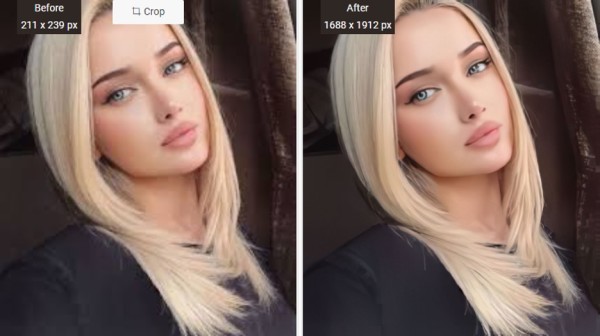
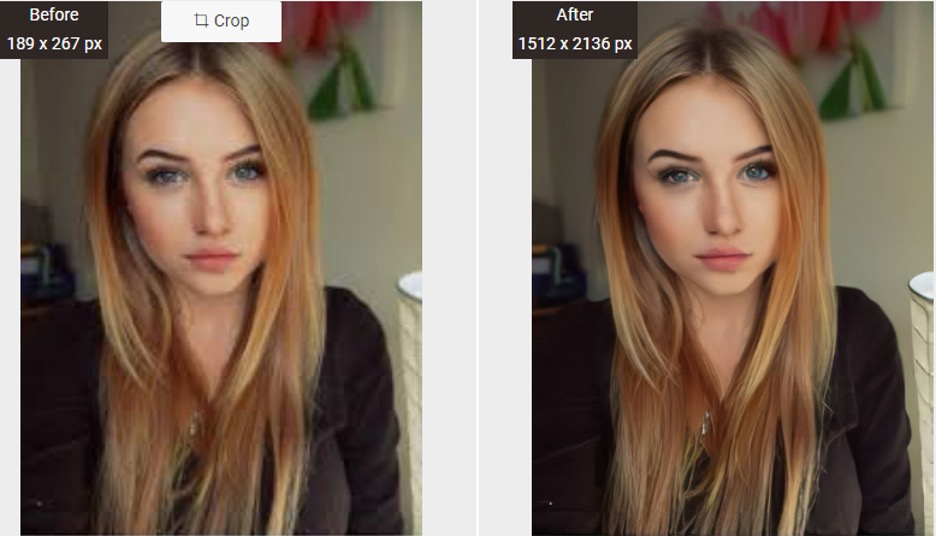
If you want to enhance the details of your image, then VanceAI PC provides you with the best tools that instantly enhance your image details. Just as you find on the webpage, an exact same copy of the VanceAI Image Upscaler with improved features is available on VanceAI PC. If you would like to improve the quality of your low-resolution images, then you can use VanceAI Image Upscaler of AI software for PC. You can enhance the details of your image perfectly without any flaws in it. Upscale the details and all the features of your image resolution, so everything in your image is clarified. With deep upscaling AI technology, you can transform your low-resolution image with poor-quality pixels into a high-resolution HDR image with massive details clearly visible. Make your image more appealing towards the viewer by removing the pixelation from your image details. You can enhance the details of your image up to 8 times its original form without any quality loss. Don’t worry about the performance of the image upscaling tool, as it is well tested with millions of images before it was officially launched.
VanceAI Image Sharpener: Unblur Images Effortlessly
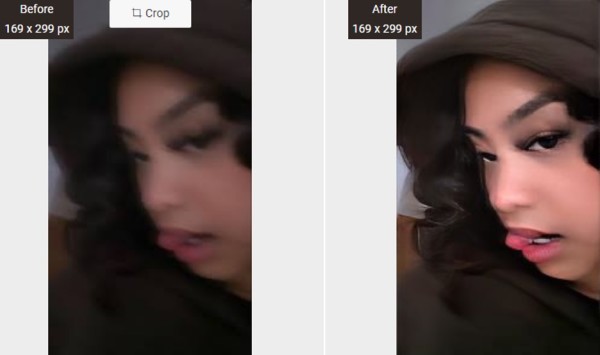
When it comes to the details of the image, the focus of the image is necessary. If your image is blurred from some spots then you will not be able to portray the details of your image accurately. That is why VanceAI PC has an AI image sharpener that sharpens all the blurry areas of your image to clarify its features properly. If you have an image that was taken of an object in motion. The areas of the object that were in motion might be blurred. You can instantly unblur those moving parts of the object and portray its details properly with one click by using the VanceAI Image sharpener. Sometimes while capturing an image, the manual focus of the camera does not maintain the focus. You can also restore that lost focus of your image with the VanceAI Image sharpener. If you have anything related to the blurriness of your image, then you can use the VanceAI image sharpener. It allows you to instantly unblur the details of your image professionally without any effort required.
VanceAI Image Denoiser: Denoise Pictures Online
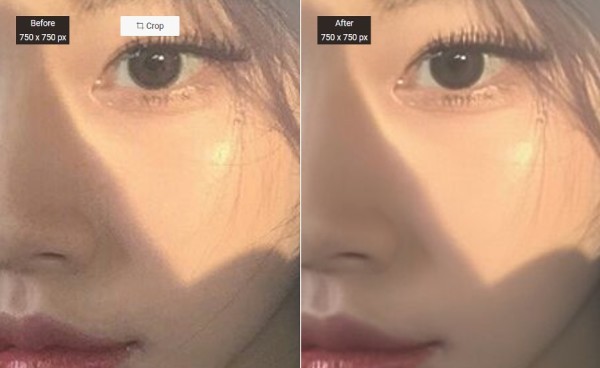
If you want to remove noise from your image that is causing distortion in your image resolution, then you can use VanceAI image denoiser. The machine learning intelligence of image denoiser automatically detects all sorts of noise from your image features and removes it. You can get rid of the noise from your image instantly with one click without any effort. You can upgrade the details of your image by removing noise from the details and making it look crispier than before. Denoise your image automatically with AI and recover the real and natural details of your image easily. Save your time by not using any type of manual denoising tools to remove noise from your image and eliminate all sorts of noise with one click.
Instructions to Use VanceAI PC?
If you are using the platform for the first time, then here is a guideline to download it on your device and operate it without effort. All you have to do is simply follow the simple steps below to acknowledge VanceAI Software usage.
Step 1
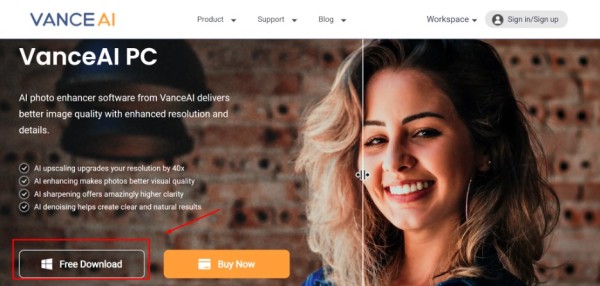
Go to your browser and search VanceAI to open the official website page in your browser. Then click on the product option above and select the VanceAI PC option. If you are in a hurry and want to reach the page quickly, click on this link VanceAI PC. Click on the free download option to download the application on your device. If you wish to download it immediately, you can click on this link VanceAI Software.
Step 2
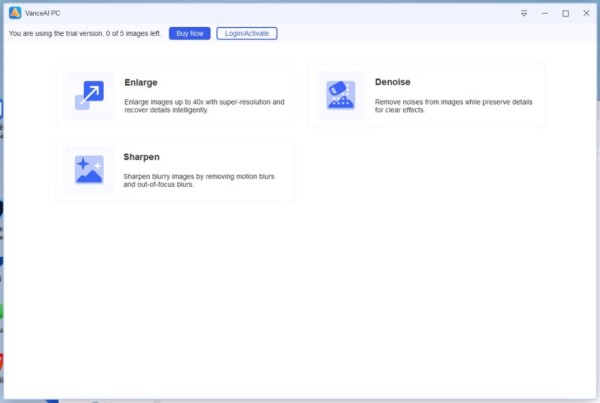
After you have downloaded the application of VanceAI PC, click on the application icon on your homepage to open it. Then you will have to open the application on your device. After that click on enlarge image option to begin the image enlarging procedure and start enhancing your image. It is that simple; just a simple click to start your image editing.
Step 3
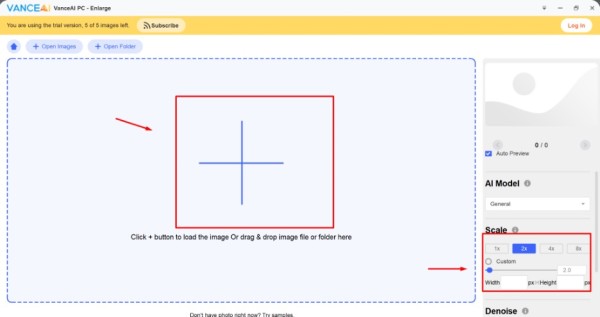
After opening the enlarged image, you will have to upload the image to the platform. Click on the plus option and upload the image from your device to the platform. If you do not want to upload it by selecting the image from your device, then you can also drag the required image and upload it by selecting the required image from your device. Depending upon which method you like, you can upload images that seem more accurate with any of these two methods. Adjust the requirements for your image from various options given towards the right side of your screen. Select the enhancement scale to which level you want your image to be enlarged.
Step 4
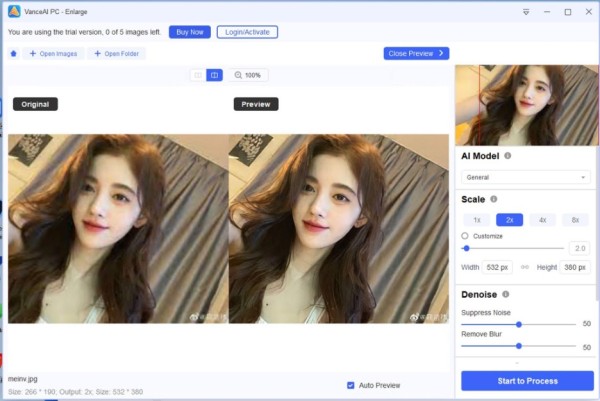
As you can see, all the details of your image are enhanced perfectly without effort or error. You can observe the after and before images as they have displayed right after the image-enhancing process is completed. If you are satisfied with the result of the image, then proceed next.
Step 5
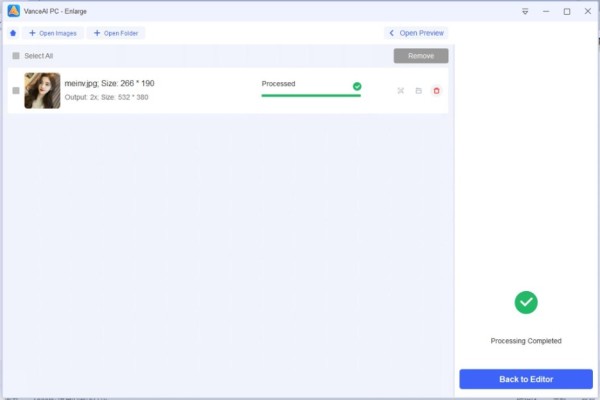
You can see the details of your image and download it on your device easily with one click.
Conclusion
Simplify your workflow by using a personalized application on your device. Instantly open the application with one click and begin the image editing process right away without searching for it on your browser. Become a professional image editor by using the AI software for a PC named VanceAI PC. VanceAI PC is a simple tool that makes image editing way easier for anyone in the world who has zero skills in editing.
FAQs
What is TopTen.ai?
Are you wondering if there is any other smart photo editing software out there? There are thousands and thousands of software on the market, which one is the best for you? You can try reading this article: Top 15 AI Image Upscaler for 2023, which carefully examines and compares many software. I am sure you will find what you are looking for in this article.
What’s VanceAI Image Upscaler?
This is image upscaler that can amplify the resolution of your low-quality images and convert them into HDR with one click. Enhance and improve the quality of your images with VanceAI image upscaler.
Comments

Powered by RoundtableAn AI/DeFi-powered Enterprise Media Operating System. Learn more at Roundtable.io.© Roundtable 2026. By using this site you agree to the Terms of Use and Privacy Policy