



Video Editing Made Easy
Jan 17, 2025 8:00 AM
Updated Jan 20, 2025 11:04 PM
Understanding the technical requirements for video editing is crucial for a smooth workflow.
In today's digital age, mastering video editing has become essential for content creators, marketers, and business owners alike. Whether you're creating social media content, promotional videos, or personal projects, understanding the fundamentals of video editing can transform ordinary footage into compelling content. According to recent statistics, videos with professional editing receive 66% more engagement than those with minimal editing, making it a crucial skill in the digital landscape. Research shows that 84% of consumers have been convinced to purchase a product or service by watching a brand's video, highlighting the importance of well-edited content in modern marketing strategies.
Essential Pre-Production Steps
Before diving into the editing process, proper preparation is crucial for success. Start by ensuring you have all necessary equipment and materials organized. Create a clear project folder structure on your computer, separating raw footage, audio files, and other assets. Develop a basic editing plan or storyboard to guide your process.
Consider these key pre-production elements:
- Equipment check and setup
- File organization system
- Project timeline creation
- Basic editing plan
- Backup strategy implementation
- Shot list preparation
- Audio recording requirements
- Lighting setup verification
Related stories
A well-planned pre-production phase can reduce editing time by up to 40% and minimize common post-production issues.
Technical Foundations
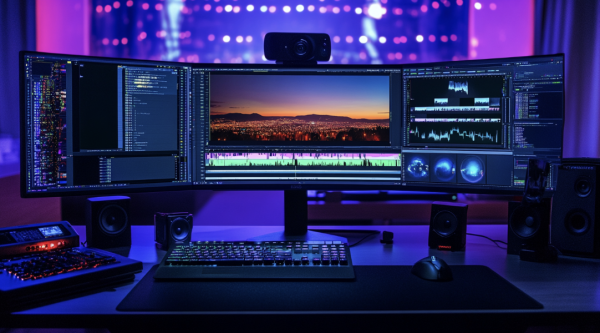
Understanding the technical requirements for video editing is crucial for a smooth workflow. Your computer should meet minimum specifications for handling video files effectively. This typically includes:
Hardware Requirements:
- Processor: Multi-core processor (i5/i7 or equivalent)
- RAM: Minimum 16GB for HD video, 32GB recommended for 4K
- Storage: SSD for faster file access (minimum 500GB)
- Graphics: Dedicated GPU with at least 4GB VRAM
- Monitor: Color-accurate display with minimum 1920x1080 resolution
Software considerations should focus on compatibility with your system and project needs. Ensure your chosen editing software supports your video formats and has the features necessary for your project goals. Consider the codec support, rendering capabilities, and plugin compatibility.
File management practices include:
- Consistent naming conventions
- Organized folder structure
- Regular backups (3-2-1 backup rule)
- Proper file format selection
- Version control system
- Project file archiving
Core Editing Principles
Quality Source Material
Start with the highest quality footage possible. Poor source material limits your editing options and final output quality. Record in 4K when possible, even if delivering in 1080p, as this provides more flexibility for cropping and stabilization. Consider shooting in LOG format for maximum dynamic range and color grading flexibility. Always record with proper exposure and white balance settings.
Organization Systems
Implement a systematic approach to organizing your project files. Create separate folders for raw footage, audio, graphics, and exports. Use clear naming conventions that include date, project name, and version numbers. Implement color coding for different types of content and create project templates for recurring video types. Maintain a detailed project documentation system for future reference.
Basic Cuts and Transitions
Master fundamental cutting techniques before moving to complex transitions. Simple cuts often work best for maintaining viewer engagement. Use transitions sparingly and purposefully to enhance your story. Learn the concepts of J-cuts and L-cuts for smooth audio transitions. Study the principles of match cuts and continuity editing for professional results.
Audio Enhancement
Clean audio is crucial for professional videos. Remove background noise, normalize volume levels, and ensure clear dialogue. Consider using noise reduction tools when necessary. Implement audio compression and EQ to achieve broadcast-standard sound quality. Use room tone recordings to maintain audio consistency between cuts.
Color Correction
Begin with basic color correction to ensure consistent look across all clips. Adjust white balance, exposure, and contrast. Move to creative color grading only after achieving proper color correction. Understand scopes (waveform, vectorscope, histogram) for precise adjustments. Create and save custom LUTs for consistent color grades across projects.
Pacing and Timing
Maintain viewer interest through proper pacing. Vary clip lengths based on content and intended impact. Fast cuts create energy, while longer shots allow viewers to absorb important information. Study your target platform's optimal video length and structure content accordingly. Use analytics data to optimize pacing for maximum viewer retention.
Visual Effects
Use effects purposefully to enhance your story, not distract from it. Start with simple effects like speed adjustments and scaling before attempting complex visual effects. Learn key framing fundamentals for smooth animations. Consider motion tracking and stabilization techniques for professional-looking results. Always preview effects at full resolution to ensure quality output.
Text and Graphics
Keep text clean and readable. Use consistent fonts and styles throughout your project. Ensure sufficient display time for viewers to read comfortably. Follow the 3-second rule for on-screen text. Consider safe margins for different display devices and implement motion graphics templates for recurring elements. Test readability across different screen sizes and viewing distances.
Sound Design
Layer sound effects and ambient noise to create depth. Balance all audio elements carefully, ensuring no single element overpowers others. Create custom sound effects libraries for frequent use. Understand the principles of audio mixing and mastering for different platforms. Use stereo panning effectively to create immersive soundscapes.
Music Integration
Choose music that enhances your message without overwhelming it. Adjust audio levels to maintain clear dialogue. Consider copyright requirements when selecting music. Build relationships with music libraries or composers for unique soundtracks. Learn about audio ducking techniques for professional sound mixing. Create custom music edits that match your video's pace and energy.
Export Settings
Match export settings to your delivery platform requirements. Consider file size, resolution, and codec compatibility. Test exports on multiple devices before final delivery. Understand the differences between various compression methods and their impact on quality. Create export presets for different platforms to ensure consistency and efficiency.
Software Selection Guide
Choosing the right editing software depends on your specific needs and skill level. Consider these categories:
Beginner-Friendly Options:
- iMovie (Mac, Free): Perfect for basic editing with intuitive interface
- OpenShot (Cross-platform, Free): Simple tools with good community support
- Windows Video Editor (Windows, Free): Basic but effective for simple projects
- DaVinci Resolve Free: Professional-grade features with no cost
Professional Solutions:
- Adobe Premiere Pro: Industry standard with comprehensive features
- Final Cut Pro X: Optimized for Mac with powerful tools
- DaVinci Resolve Studio: Advanced color grading and effects
- Vegas Pro: Popular among content creators
Key factors to consider:
- Learning curve and available tutorials
- Integration with other software
- Plugin ecosystem and expandability
- Collaboration features
- Regular updates and support
- Performance optimization
- Cost and subscription model
- Available templates and presets
Common Challenges and Solutions
Common editing challenges often include:
Performance Issues:
- Use proxy files for smoother editing
- Clear cache regularly
- Optimize storage management
- Update graphics drivers
- Monitor system resources
File Management:
- Implement automated backup systems
- Use cloud storage for collaboration
- Create project templates
- Maintain consistent folder structures
Audio Sync Problems:
- Use clap markers during recording
- Implement multicam sync features
- Monitor audio drift
- Use timecode when available
Export Challenges:
- Test different codec combinations
- Verify project settings
- Create custom export presets
- Monitor rendering progress
- Implement quality control checks

Remember that most editing problems have established solutions. Join online communities and forums for support, and stay updated with the latest software features and workflow improvements. Regular practice and experimentation will help you develop efficient problem-solving strategies for common editing challenges.
Comments

Powered by RoundtableAn AI/DeFi-powered Enterprise Media Operating System. Learn more at Roundtable.io.© Roundtable 2026. By using this site you agree to the Terms of Use and Privacy Policy