


May 10, 2025 7:00 AM
Updated May 16, 2025 4:28 AM
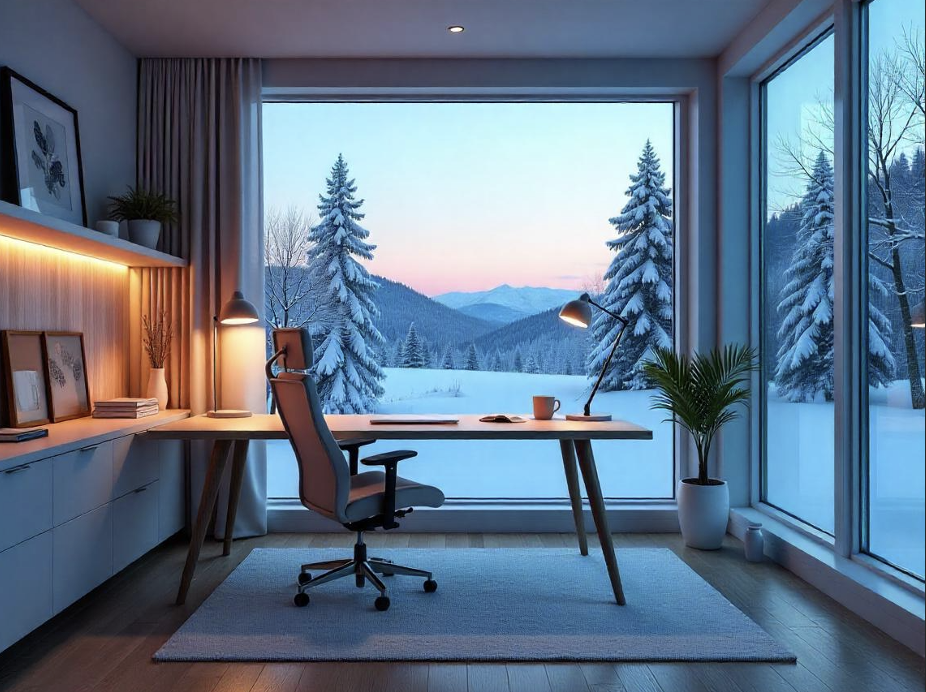
The shift towards remote work has significantly increased the demand for small home-based office spaces.
A good home office can help you work better and stay focused. If your workspace is messy or uncomfortable, it can be distracting and make you tired. An organized and comfortable home office can improve your work and lower stress. One important thing for a great home office is a portable power backup generator. It keeps you working during power outages, which can be annoying. Jackery makes advanced portable power stations that can provide the electricity you need so you can concentrate on your work without worrying about power issues. This article will walk you through the efficient and productive home office configurations that will help you make the perfect home office. But what is a small office home office, or a home office? Let’s find out.
Understanding Small Office Home Office (SOHO)
A Small Office Home Office (SOHO) refers to a workspace set up within a residential environment for professional use. It is designed for individuals who work remotely, freelancers, or small business owners who operate from home. SOHO setups offer flexibility and a personalized working environment while maintaining the necessary functionality for productivity.
Why SOHO Setups Are Becoming Popular
The shift towards remote work has significantly increased the demand for small home-based office spaces. Many professionals now prefer working from home to avoid long commutes and have greater control over their schedules. Advancements in technology, such as high-speed internet, cloud computing, and virtual collaboration tools, have made it easier than ever to work efficiently from home. Additionally, SOHO setups allow for cost savings, eliminating the need to rent office space while still providing a professional and comfortable work environment.
Key Considerations
Here are some considerations and ideas for a small office:
Related stories
● Choosing the Right Location: A quiet, dedicated space is ideal to minimize distractions and improve focus. If a separate room is not available, a designated corner with clear boundaries can still be effective.
● Ergonomics: Proper seating, an adjustable desk, and a well-positioned monitor help maintain good posture and reduce physical strain during long working hours.
● Technology Needs: Reliable internet connectivity, multiple power outlets, and the necessary work tools, such as a computer, printer, or external monitor, are essential for seamless workflow.
Choosing the Right Furniture and Layout
After selecting the right place for your SOHO, the next thing is to invest in the right furniture. Here are the things you need in a small home office:
Ergonomic Chair and Adjustable Desk
Investing in ergonomic furniture not only enhances comfort but also boosts productivity by reducing physical stress. Spending long hours at a desk without proper support leads to discomfort and long-term health issues. An ergonomic chair with adjustable height, lumbar support, and a cushioned seat reduces strain on the back and promotes good posture. Pairing it with an adjustable desk allows for flexibility, enabling users to switch between sitting and standing positions to prevent fatigue and improve circulation.
Efficient Workspace Layouts for Different Needs
The ideal workspace layout depends on the nature of the work and available space. Some popular setups include:
● Minimalist Setup: Best suited for solo professionals who need a clean, distraction-free environment. A simple desk, ergonomic chair, and essential work tools keep the workspace organized and efficient.
● Multi-Purpose Layout: Ideal for home offices that serve multiple functions, such as doubling as a study area or personal workspace. Foldable desks, modular furniture, and ample storage maximize usability without taking up excess space.
● Collaborative Setup: If you share your workspace with family members or colleagues, a larger desk or dual workstation setup allows for teamwork while maintaining individual work zones. Just make sure to have proper seating arrangements and take necessary measures for noise reduction to create a balanced environment.
Adequate Lighting for Various Time Periods
Lighting plays a critical role in maintaining focus and reducing eye strain during work. Natural light is the best source, as it enhances mood and improves concentration. Positioning the desk near a window maximizes daylight exposure, reducing the need for artificial lighting. However, for late-night or dimly lit areas, artificial lighting becomes essential. A combination of overhead lighting and task lamps with adjustable brightness ensures a well-lit workspace, preventing glare and strain on the eyes.
Organization and Storage Solutions
While working from home is indeed an attractive idea, many remote workers struggle with keeping their home offices organized. Let’s see how to keep your workspace highly organized and distraction-free.
Tips to Keep the Workspace Tidy and Functional
A cluttered workspace can make even the simplest tasks feel overwhelming. Keeping a tidy and organized home office improves efficiency and reduces distractions. The key to decluttering is to remove unnecessary items and only keep essentials within reach. Regularly sorting through papers, digital files, and office supplies helps prevent accumulation. A clean desk at the start of the day promotes focus, while dedicating a few minutes at the end of the workday to tidying up ensures a fresh start the next morning.
Smart Storage Ideas
In order to properly store all the things in your home office, use an effective storage system that maximizes space and keeps everything organized without creating visual clutter. Some smart storage solutions include:
● Shelves: Wall-mounted shelves free up desk space and provide easy access to frequently used books, files, and decor items.
● Filing Cabinets: Ideal for storing important documents and paperwork while keeping them easily accessible. Compact cabinets that fit neatly under desks and save space are also a good choice.
● Wall Organizers: Pegboards, corkboards, and hanging organizers help store notes, calendars, and small office supplies without taking up desk space.
● Hidden Storage: Desks with built-in compartments, under-desk drawers, and furniture with concealed storage keep clutter out of sight, maintaining a clean and professional appearance.
Cable Management Strategies
The last thing any remote worker wants in their workspace is a set of cluttered cables that make the otherwise well-designed workspace look messy. Proper cable management enhances aesthetics and prevents hazards. Using cable trays, zip ties, and adhesive clips keeps wires bundled neatly. Labelling cords simplifies identification and avoids confusion when unplugging devices. Opting for wireless peripherals, such as keyboards and mice, also reduces cable clutter. For a more polished setup, power strips with built-in cable organizers help keep everything streamlined and tangle-free.
Reliable Power Backup
Having a reliable and efficient portable power solution has become the number one choice of Canadian remote workers. Sudden power outages can bring your work to a standstill, disrupting essential tasks and causing unnecessary stress. That is why many remote workers are tiling towards a portable power source that can keep their operations up and running when the grid goes down. This way, they ensure that devices such as laptops, routers, and lighting remain functional even during blackouts. During extreme seasonal spikes, these power stations also help you maintain the temperature of your home office using heating or cooling devices and help you stay focused on the task at hand.
The Jackery Explorer 2000 v2 Portable Power Station is a popular choice for remote workers. This power station is designed to provide a seamless energy solution for home office setups. With its advanced battery technology and compact design, it ensures that critical work equipment remains powered, minimizing downtime and preventing data loss.
Features of Jackery Explorer 2000 v2 Portable Power Station
The Jackery Explorer 2000 v2 Portable Power Station has a large capacity of 2042Wh and can output 2200W. This makes it strong enough to power most home office tools. It can run computers, internet devices, and even bigger appliances like refrigerators, heaters, and air conditioners when needed.
At just 17.9kg, this power station is 40% smaller and 34% lighter than similar models, making it easy to store in a home office without taking up excessive space.
Another notable feature of this home office backup generator is its fast charging. This unit can easily be charged in 1.7 hours using Emergency Super Charge, while it takes just 7.5 hours to recharge using solar energy with 4 Jackery SolarSaga 100W Solar Panels.
On top of this, the Jackery Explorer 2000 Plus Portable Power Station is equipped with Jackery’s exclusive CTB technology and is designed with a durable honeycomb structure for added safety and efficient energy use.
In case of a power outage, you can easily use its Uninterrupted Power Supply (UPS) feature, through which the generator will start providing you reliable electricity within 20ms of power outage.
This portable generator for home contains the next-generation LiFePO4 battery, which offers over 10 years of reliable performance.
Using this power station, you can monitor and manage power usage remotely through the Jackery mobile app and get real-time updates on battery levels and power consumption.
Tips on Maintaining Power Efficiency in Your Home Office
To make the most of a portable power backup system, efficient power management is essential. Here are some ways to optimize energy use and extend battery life in a home office setup:
- Use Energy-Efficient Devices: Do not overburden the power station. Use LED lighting, low-power laptops, and energy-saving monitors that reduce power consumption and extend battery backup duration.
- Unplug Unused Devices: Even during hibernation, some electronics still draw power. Disconnecting idle devices from the power source helps prevent unnecessary energy drain.
- Activate Power-Saving Modes: Many computers and monitors have built-in energy-saving settings that reduce power usage when inactive.
- Schedule Charging Cycles: Keeping the power station charged ensures readiness for unexpected outages. Whenever possible, use solar panels to charge the power station to avoid electricity costs.
- Position the Power Station Strategically: Place the unit in a well-ventilated area to prevent overheating and ensure optimal performance.
Wrapping-Up
Designing a home office that enhances productivity and comfort requires thoughtful planning. From choosing the right furniture and lighting to ensuring reliable power backup, every detail plays a role in creating an efficient workspace. The key is to tailor the setup to your personal work style and needs for the best results. Prioritizing ergonomics, organization, and power stability will help maintain focus and efficiency. Jackery boasts a range of reliable power solutions that will get your home office needs covered in the most convenient way possible.
FAQs
1. What Are Common Mistakes to Avoid in Home Office Design?
One of the biggest mistakes is neglecting ergonomics, which leads to discomfort and long-term health issues. Using a non-supportive chair or working at a poorly positioned desk can cause back and neck pain. Another common issue is poor lighting, as dimly lit workspace strains the eyes, while harsh lighting creates glare, both of which affect productivity. Cluttered workspaces also reduce efficiency, making it harder to focus. Additionally, failing to designate a dedicated workspace leads to distractions, especially when working in high-traffic areas at home. Overlooking technology needs, such as proper cable management and reliable power supply, also create unnecessary complications in daily work routines.
2. How Do I Ensure My Home Office Setup Promotes Good Posture and Health?
Using an adjustable chair with lumbar support helps maintain a neutral spine position. The desk height should allow the arms to rest comfortably at a 90-degree angle, while the monitor should be at eye level to prevent neck strain. Standing desks or desk converters provide flexibility to alternate between sitting and standing, which reduces fatigue. Taking short breaks to stretch and move improves circulation and reduces stiffness. A well-lit workspace with natural or task lighting minimizes eye strain, while proper ventilation ensures a comfortable working environment.
3. What Are Some Innovative Design Trends for Home Offices in 2025?
Home office design continues to evolve, incorporating technology, comfort, and sustainability. Some key trends for 2025 include:
● Biophilic Design: Integrating natural elements such as indoor plants, wooden furniture, and eco-friendly materials to create a calming environment.
● Smart Office Solutions: Voice-controlled lighting, temperature regulation, and AI-powered productivity tools enhance convenience.
● Modular and Space-Saving Furniture: Multi-functional desks, foldable workstations, and wall-mounted storage maximize small spaces.
● Soundproofing Elements: Acoustic panels, noise-cancelling devices, and soft furnishings help minimize distractions for better focus.
● Wireless and Minimalist Setups: Reducing cable clutter with wireless charging pads, Bluetooth peripherals, and sleek desk designs creates a cleaner, more efficient workspace.
Comments

Powered by RoundtableAn AI/DeFi-powered Enterprise Media Operating System. Learn more at Roundtable.io.© Roundtable 2026. By using this site you agree to the Terms of Use and Privacy Policy