
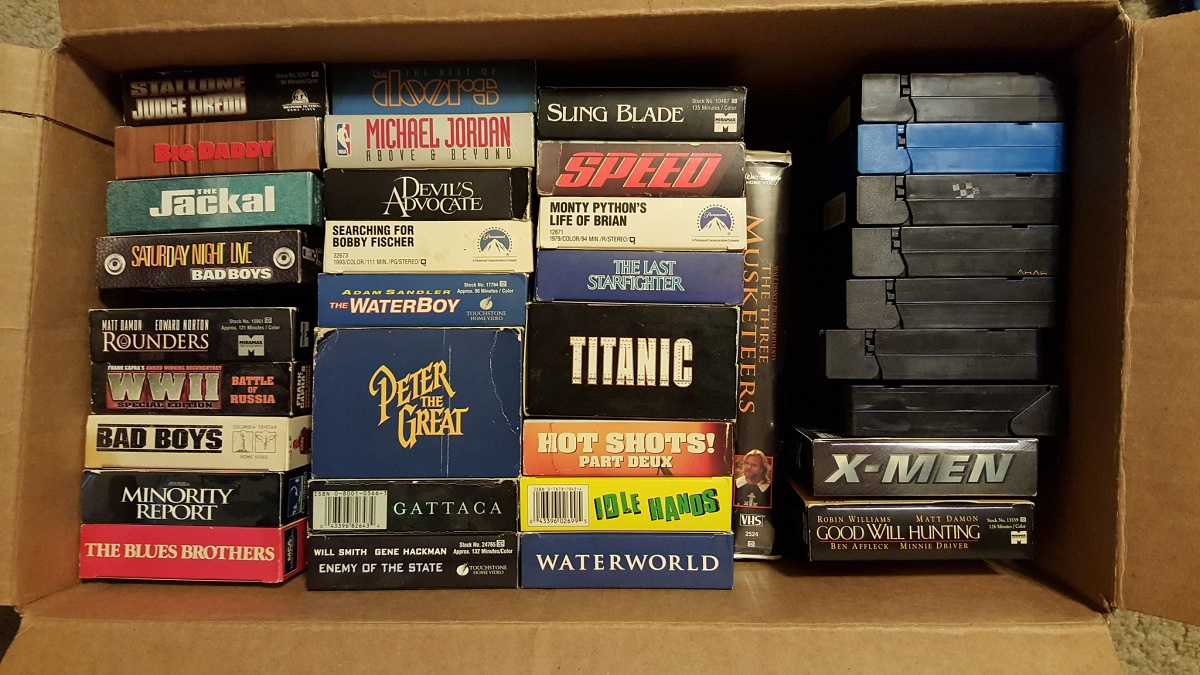
Wil C. Fry • Attribution-NonCommercial-NoDerivs (CC BY-NC-ND 2.0) Flickr


iMemories vs Legacybox
Jun 28, 2024 7:00 AM
Updated Jul 3, 2024 8:05 PM
There's now a high demand for transferring old VHS tapes to digital, as technology evolves and old formats fade.
In 2014, fewer Americans used VHS players because more were switching to digital and streaming media. However, in 2024, some still find value in VCRs for nostalgia or collecting.
There's now a high demand for transferring old VHS tapes to digital, as technology evolves and old formats fade. This trend makes converting VHS memories to digital in 2024 popular. For guidance on the best options, consider iMemories, rated highly by times-standard.com and The Washington City Paper.
They offer competitive pricing, positive customer feedback, and stand out among other brands. Discover how iMemories can preserve your cherished moments for the future.
iMemories offers a simple solution to convert your old home movies, whether they're on formats like 8mm or VHS tapes. They turn these cherished memories into DVD, USB, or Cloud files, ensuring your family history is secure and easy to access on modern devices.
Related stories
When you decide to digitize your old photos and home movies, choosing a reliable service is crucial for preserving and getting the best results. iMemories stands out as one of the most popular choices in 2024. We'll review their pricing, customer feedback, and how they compare with other brands. Plus, find discount codes to help you save money!
Pros and Cons of iMemories: A Detailed Review
iMemories accepts a wide range of formats including Betamax, VHS, 8mm, MiniDV, and more. They offer DVD, USB, and Blu-Ray options for preserving your memories. Their SAFESHIP KIT ensures your materials are safely transported to their facility.
Is iMemories Worth It?
While iMemories has various services and benefits, including faster turnaround times and positive reviews, consider factors like additional costs for cloud storage and the exclusion of audio cassette digitization before making your decision.
As the top choice for digitizing your memories, iMemories provides an affordable, flexible, and user-friendly service, ensuring your special moments remain accessible for generations.
Pros:
- Accepts various analog media types
- Offers multiple digital copy options
- Fast turnaround times
- Positive customer reviews
- Affordable pricing
- Free return of originals
- Complimentary digital download
Cons:
- Additional cost for cloud service
- Does not digitize audio tapes
iMemories vs. LegacyBox: Which is the Better?
When choosing between iMemories and LegacyBox for converting VHS tapes, iMemories stands out as the better option. iMemories specializes in converting various formats like VHS, Betamax, Mini DV, Hi8, and 8mm tapes, as well as photos and negatives.
They offer multiple pricing plans and provide digital files on DVD, thumb drive, or through a download link. iMemories also keeps customers updated with real-time progress reports during the digitization process.
In contrast, LegacyBox has faced criticism for delays and poor customer service. For instance, a Reddit user shared a negative experience where they sent in 22 VHS tapes, including precious ones, only to experience significant processing delays. Despite an advertised 10-12 week turnaround time, LegacyBox did not start digitizing the tapes even after 8 weeks, leading to frustration.
Considering these factors, iMemories is the preferred choice for converting VHS tapes due to its reliability, efficiency, and comprehensive service offerings.
When comparing LegacyBox versus iMemories, Lost Coast Communications names iMemories as their top choice for converting VHS tapes.
This endorsement highlights iMemories as the preferred option for VHS to DVD conversion, recognized for its reliability, efficiency, and comprehensive service offerings.
Also, Washingtoncitypaper.com considers iMemories a safe and reliable option for converting VHS tapes when compared to other third-party conversion services.
How Much Does iMemories Cost?
iMemories specializes in converting old photos and home movies into digital formats for streaming on any device. They offer various options for viewing and sharing your digitized memories:
- iMemories Cloud: Unlimited viewing, sharing, and storage for $7.99/month or $49.99/year.
- Digital Download: Free to download and save digital masters.
- USB Thumb Drive: Starts at $39.99 for storing digital masters.
- DVD or Blu-ray: $19.99 per disc for digitized memories.
- Videotapes: $29.99 per tape, or $14.99 with savings.
- Photos: $0.49 per photo.
- Film Reels: $14.99 per 50 feet for converting film reels.
- SafeShip Kit: $14.99 includes a secure box, waterproof bags, shock-resistant cushions, and free FedEx shipping.
Legacybox vs iMemories (Cost Comparison)
Comparing iMemories with Legacybox involves looking at pricing and service options. iMemories offers flexible pricing based on the specific services chosen, while Legacybox offers fixed prices for digitizing kits depending on the number of items:
- Legacybox Kits: Range from $32.98 to $589.99 for various kits (Starter, Family, Closet, Trunk).
Conclusion
When comparing iMemories and Legacybox, your choice will depend on your needs and preferences. iMemories offers flexible pricing and a variety of options for converting old media to digital formats, including convenient cloud storage and USB options.
Their streamlined process and positive customer feedback on Google Local Pack, Trustpilot, DailyDemocrat.com, and Times-Standard.com highlight their reliability and commitment to quality service.

In contrast, Legacybox provides fixed-price kits that may appeal to those seeking simplicity. However, some users have reported delays and customer service issues.
Overall, iMemories stands out for its overwhelmingly positive reputation and high customer satisfaction across multiple review sites, making it a preferred choice for preserving and accessing cherished memories digitally.
Comments

Powered by RoundtableAn AI/DeFi-powered Enterprise Media Operating System. Learn more at Roundtable.io.© Roundtable 2026. By using this site you agree to the Terms of Use and Privacy Policy