


Aug 8, 2025 7:00 AM
Updated Aug 11, 2025 8:16 PM
What if the secret to more chat activity and keeping viewers is a laugh track or meme sting at the right time?
Funny Audio Clips for Streaming are short, funny sounds. They include memes, punchlines, and reaction cues. These are used on Twitch, YouTube Live, and Facebook Gaming. They highlight big moments, reward chat interactions, and turn jokes into memorable moments.
You can play these clips without interrupting voice or game sounds. Tools like Streamlabs Desktop and OBS Studio help manage audio. Elgato Stream Deck makes it easy to control with one tap. Creators also use Voicemod for effects and Soundpad for quick playback.
In this guide, you'll learn about humor in streaming. We'll cover the best genres and how to use comedy sound clips. You'll find out where to get funny audio, how to make your own, and about copyright and fair use. We'll share examples of how good audio cues can make moments unforgettable.
By the end, you'll know how to pick and use funny audio that fits your style. It will keep viewers coming back for more.
Related stories
Why Funny Audio Clips Are Essential for Your Stream
Quick, familiar sounds make live moments unforgettable. When you play a top humor audio clip on your stream, viewers get excited. They react and stay engaged, making your channel pop in a sea of streaming comedy.
Enhancing Viewer Engagement
Short audio cues can spark instant reactions. They light up chat, send emotes flying, and make alerts feel special. Use these clips for call-and-response moments or tie them to channel points on Twitch.
These hooks help your community find a rhythm. A fun tag after a win or a miss turns the moment into a highlight. With comedy in the mix, your stream becomes lively without overpowering your voice.
● Celebrate milestones with distinct stingers.
● Rotate a few top humor audio clips to prevent fatigue.
● Match volume and tone so cues cut through but never blast.
Adding Humor to Your Content
Quick gags make queue times and loading screens feel shorter. Well-timed clips turn a misplay into a joke and a clutch into a victory lap. This makes moments perfect for sharing on TikTok, YouTube Shorts, and Instagram Reels.
Consistent audio motifs are like a signature. A catchy phrase or a crisp sting becomes memorable. Mix recognizable beats with fresh content to keep your brand voice fun and sharp.
● Keep clips under three seconds for snap and recall.
● Use recurring tags to build in-jokes and identity.
● Test new bits weekly and retire what falls flat.
Popular Genres of Funny Audio Clips
The best streams mix short zingers with familiar beats. A well-tuned meme soundboard lets you trigger quick laughs without breaking your flow. Keep clips tight so they lift a moment, not talk over it.
Meme Soundboards
A strong soundboard brings order to chaos. Organize by mood—fail, victory, cringe, or suspense—so you can react in a snap. Think classics like “Bruh,” “Vine Boom,” and “Sad Violin,” plus gaming hits such as “Headshot!” or “Wasted.” Add comedic SFX like record scratch, airhorn, and rimshot.
● Use 0.5–3 second SFX for punchy timing in any soundboard meme.
● Label buttons clearly by vibe to speed on-air choices.
● Blend SFX with lines for stacked laughs on a meme soundboard.
Viral Quotes and Clips
Short, known lines land fast because viewers already get the joke. Pop culture staples such as “It’s over 9000!,” “Why are you running?,” “Emotional damage,” and “Ain’t no way” work across games and chat segments. Aim for 2–6 seconds so the punchline hits clean.
● Cue recognizable quotes to reduce setup time.
● Pair a quote with a quick SFX from a soundboard meme for extra lift.
● Rotate fresh picks to keep humorous soundbites online from going stale.
Hybrid mixes shine when you stack a micro-SFX under a spoken line or TTS quip. This layered style keeps pace with fast chats and highlight reels, turning humorous soundbites online into reliable crowd-pleasers without slowing your stream.
How to Incorporate Audio Clips into Your Stream
Make your reactions instant and clear. Use tools to play top humor audio clips when chat starts. This keeps the stream lively without overpowering your voice.
Plan ahead before going live. Organize sounds by mood and assign them to easy-to-use buttons. Test the volume and practice using the sounds to feel natural on camera.
Using Soundboard Memes Effectively
● Use Elgato Stream Deck, Touch Portal, or LioranBoard to play sounds with hotkeys.
● Organize sounds by mood: fails, clutch, and hype. Use colors to find them quickly.
● Keep clips short and clear. Humor audio should hit hard and then stop.
● Use chat cues to enhance funny moments. If viewers say something, respond with a matching sound.
● Start with your main sounds. Add special ones later.
● Tag each sound with mood and length to stay organized.
● Do a 10-minute warm-up and test every button to confirm.
Timing and Placement Tips
● Play short stingers right after an event. A quick “womp womp” is better than a long joke after a missed shot.
● Prepare big moments. Use a hype swell before a boss fight or ranked push.
● Save longer sounds for breaks. This way, they don't interrupt the play-by-play.
● Don't repeat sounds too much. Limit to two per 10 minutes unless chat asks for more.
Adjust your OBS Studio settings. Keep mic, system, and soundboard on different tracks. Use sidechain ducking to lower music when a clip plays. Aim for a consistent volume near -18 to -12 LUFS to blend audio with your voice.
Check your stream often. If chat says a sound is too loud, adjust it. Small changes keep the audio fun without getting tired.
The Best Sources for Funny Audio Clips
Finding good places for funny soundbites online makes your stream better. Look for clear licenses and quality so the clips fit well in your alerts and chat.
Preview and tag your clips before you go live. Short, punchy clips are best. Make sure the volume is right so jokes don't hurt your viewers' ears.
Websites with Free Sound Clips
● Freesound: Huge community library under Creative Commons. Check each file’s license and credit where required.
● Pixabay Sound Effects: Free for commercial use, simple terms, and plenty of clean stingers.
● Zapsplat: A free tier with attribution; paid upgrades remove credit needs and expand choices.
● 101Soundboards and Myinstants: Fast meme buttons for raids and punchlines; verify usage rights.
When using free soundbites, save the license notes in your project folder. This helps if you need to appeal a claim or update credits later.
Paid Resources for High-Quality Audio
● Epidemic Sound: Polished SFX and musical stingers under a creator plan; confirm coverage for Twitch and YouTube VODs.
● Artlist: Broad effects catalog with simple licensing; match your plan to livestream use to avoid Content ID issues.
● Soundly Pro: Desktop library plus cloud search; quick drag-and-drop for timing scenes and alerts.
Paid libraries offer top-notch funny audio files with consistent volume and less noise. Always check platform coverage to avoid auto-claims during reruns and highlights.
Community servers and meme hubs quickly share the latest trends. If a license is unclear, recreate the vibe in your own voice or use royalty-free SFX. This keeps the fun going while you stay safe with humorous soundbites online.
Creating Your Own Funny Audio Clips
Original bits are more impactful than old memes. Make entertaining comedy sound clips that fit your voice. Save short, punchy files for quick use. Keep a variety of clips for different moods, like sarcasm or excitement.
Start small. Create a workflow you can repeat. Test your jokes in private and see which ones get a reaction. Pay attention to timing, volume, and context to ensure each clip works well.
Tools and Software You Can Use
Record and edit for free with Audacity. Or, use Adobe Audition or Reaper for more control. Add voice effects with Voicemod or iZotope VocalSynth. Use Soundly to quickly add sounds to your clips.
● For live triggers, map buttons on Stream Deck or Touch Portal.
● Cue and layer sounds with Samplr or Soundpad for quick stingers.
● Save presets for your top humor audio clips so levels stay consistent.
Tips for Recording Hilarious Sounds
Use a cardioid dynamic mic like the Shure SM58 or Shure MV7 to reduce room noise. Record at 48 kHz, 24-bit, and keep the mic steady. Keep your recordings short, as one-liners are best.
- Apply light compression at about 3:1 to control peaks.
- Roll off rumble with a high-pass filter around 80–100 Hz.
- Set a limiter near -1 dB for a broadcast-ready finish.
Write tight punchlines with vivid words. Add tiny foley sounds to enhance the joke. Record different versions of your clips for various moods, ensuring they fit any situation.
Legal Considerations for Using Audio Clips
Building streaming comedy content means checking legal stuff to avoid trouble. Make sure you know where each sound comes from and who owns it. A simple rule: if you didn't create or license it, you might not use it.
Licensed libraries are a good choice. Services like Epidemic Sound and Artlist offer rights for live streams and VODs. Always check the license terms to see if they cover YouTube, Twitch, and other platforms. If a clip is from a show, film, or hit song, you'll need permission.
Using unlicensed audio can lead to takedowns or claims. On Twitch, a DMCA notice might mute your VOD. On YouTube, Content ID can add ads, block regions, or give strikes. For the best funny audio files, check usage before streaming and keep records.
Safe choices protect your channel and workflow. Make your own short stingers or use royalty-free sounds that let you edit and repeat. Commission a producer for custom hooks that fit your timing and brand. These options keep your content legal and consistent.
Copyright Issues in Streaming
● Copyright covers recorded dialogue, music, and sound effects, even brief snippets.
● Clips from movies, TV, or chart songs need a license; attribution alone is not enough.
● Subscription audio libraries grant rights while active; confirm VOD and re-upload terms.
● Keep proof of license with dates and channel names for disputes.
Balance risk with smart sourcing. Match your punchlines with lawful sounds and have a backup. Label your soundboard for quick swaps to compliant tracks.
Fair Use Explained
Fair use is narrow and case by case. It might apply when a clip is transformed by commentary, critique, or parody. Just using a famous line for a laugh is unlikely to qualify.
- Add clear transformation: react, analyze, or satirize the original moment.
- Use only what is necessary for your point and keep the clip short.
- Favor original work, royalty-free sources, or commissioned bits for the best funny audio files.
Blend your jokes with legal audio beds to keep streaming comedy content nimble. When unsure, replace risky clips with custom sounds that carry the same beat and timing.
The Impact of Funny Audio on Viewer Retention
Short, punchy cues keep viewers present. When laugh-out-loud audio clips or top humor audio clips hit at the right moment, audiences lean in, react, and stick around for the next beat. On Twitch and YouTube, that extra spark often turns a casual viewer into a loyal fan.
Statistics on Audience Engagement
Creators track a few reliable signals to see the lift. Key metrics include average watch time, chat messages per minute, emote usage, redemption rates for sound triggers, and clip creation volume.
● Average concurrent viewers trend higher when interactive sound redemptions are active.
● More emote bursts follow well-timed laugh-out-loud audio clips during jokes, fails, or clutch plays.
● Clip creation spikes after short stingers or top humor audio clips that land cleanly.
Even modest channels see steadier retention when audio cues are brief, branded, and easy to trigger. The rhythm matters as much as the sound itself.
Case Studies of Successful Streamers
On Twitch, many Partners use channel point-triggered meme soundboards to raise chat activity during co-op nights and charity runs. YouTube Gaming creators report higher follower conversion during live premieres when viewers can redeem quick gags between segments.
Streamers who build tasteful, branded audio—unique raid alerts, custom follow sounds, and short comedic tags—stand out without drowning the gameplay. A clear identity formed by laugh-out-loud audio clips and top humor audio clips makes raids more memorable and encourages sharing.
● Custom raid stingers cue communities to flood chat with emotes on arrival.
● Short tags after big plays drive instant clips and highlight reels.
● Consistent audio branding keeps recall high across VODs and shorts.
When timing is tight and volume is balanced, the soundtrack of humor becomes part of the channel’s DNA, nudging viewers to stay for one more moment—and then another.
Popular Soundboard Apps for Streamers
A meme soundboard can add a lot of fun to your streams. Make sure it works well with your setup. Choose sounds that are loud and clear.
Top Apps for Meme Soundboards
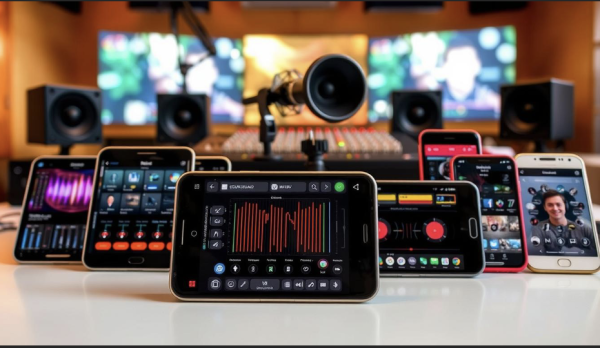
● Elgato Stream Deck with the Soundboard plugin lets you trigger sounds with one tap. It's great for raids and alerts.
● Voicemod Soundboard has volume controls and quick profile changes. It makes swapping sounds easy during games.
● Soundpad on Windows is lightweight and supports hotkeys. You can preview sounds without playing them live.
● JN Soundboard is easy to use and works well with VB-Audio VoiceMeeter. It's perfect for clean audio routing.
● Mix It Up connects sounds to Twitch Channel Points. Your viewers can help control the soundboard.
● Touch Portal turns your phone into a deck. It's a budget-friendly option for any soundboard layout.
Integration to watch for: hotkey mapping, multi-device audio routing, per-sound volume, and playback control.
Customization Options
● Organize your soundboard by mood—hype, fail, clutch—to stay organized during games.
● Add custom icons and color-coded pages. This makes it easy to find sounds quickly.
● Use cooldowns to prevent spam and keep chat clear.
● Automate scripts to trigger sounds, switch scenes, and add stingers with one press.
● Check latency often to ensure quick response from keystroke to sound.
“Fast, clear audio cues make small moments feel big.”
With these features, your soundboard will enhance your stream without distracting from it.
Trends in Funny Audio Clips for Streaming
Fresh meme sounds change how creators highlight moments. Short hilarious streaming audio clips make reactions quick and fun. They're perfect for short videos and VODs. Smart channels mix new and old sounds to keep things fresh.
Current Hottest Memes
Today, fast and loud stingers are key. Streamers use “Vine Boom,” “Metal Pipe,” and “Skibidi” to highlight moments. These sounds work great in TikTok, Instagram Reels, and YouTube shorts.
● Pair a quick boom with on-screen text to make the joke land without pausing the flow.
● Use subtle volume ducking so the punch doesn’t drown out voice chat.
● Rotate new clips weekly to keep hilarious streaming audio from going stale.
Nostalgic Audio Clip Revivals
Retro sounds are big right now. The Windows XP error chime and AOL “You’ve got mail” bring back memories. Cartoon Network boings also spark nostalgia.
- Tie retro cues to visual overlays that match the era for a tighter theme.
- Mix in light tape hiss or bit-crush for an authentic throwback texture.
- Refresh the set monthly so callbacks feel intentional, not tired.
Seasonal moments also guide picks. Sports anthems lift playoff watch parties, while eerie stingers and creaks fit October marathons. A simple rotation plan keeps hilarious streaming audio sharp and your streaming comedy content lively across events.
How to Share Funny Audio Clips with Your Audience
Turn your best sound moments into bite-size posts that meet fans where they scroll. Keep edits clear, punchy, and easy to watch on mute. Blend bits inspired by popular funny podcasts with your own style so your brand stands out.
Make every share point back to your stream schedule and channel hubs to keep momentum rolling.
Engaging via Social Media
Repurpose stream highlights into TikTok, YouTube Shorts, Instagram Reels, and X clips. Add captions and waveform animations for quick clarity and better retention. A nod to comedy podcast clips helps viewers connect the vibe to formats they already love.
● Post within 24 hours of a live session for freshness.
● Use punchy intros under two seconds to hook.
● Layer subtle branding and a callout to your next live slot.
Share weekly compilations on YouTube with timestamps for your funniest sound cues. Pin a highlight reel as your channel trailer, and announce drops in Discord. Cross-posting mirrors the cadence used by popular funny podcasts while keeping your tone personal.
Creating Fan Contributions
Invite your community to pitch new sound ideas through Google Forms or dedicated Discord channels. Run polls to pick the next soundboard meme, and credit contributors on overlays and in descriptions. This turns listeners into partners and sparks a steady loop of fresh material.
- Set simple rules for clip length and theme.
- Curate monthly spotlights that thank top contributors.
- Archive accepted sounds in a shared list so fans can track what made the cut.
Weave in references to comedy podcast clips that influenced the picks, and celebrate audience taste the way popular funny podcasts highlight their communities. The result is a fun pipeline that keeps your feed active and your stream lively.
Overcoming Common Challenges with Audio Clips
Setting up your audio right keeps your stream fun, not chaotic. Before you start, create a simple audio chain and test it. Making small adjustments helps keep the flow smooth when comedy sound clips hit their mark.
Technical Difficulties
● Route your audio with tools like VB-CABLE, Elgato Wave Link, or GoXLR. Make sure your desktop sound is separate from the soundboard. This lets you control levels on your own.
● Use OBS monitoring to check the audio balance in real-time. Solo the SFX bus first, then add game and mic sounds. This helps avoid any masking issues.
● To prevent distortion, add a limiter to the soundboard bus. Normalize your files to keep the volume consistent. Start with stream-safe music to adjust levels.
● Have a backup hotkey that instantly mutes all SFX. If a sound clips or loops, just one tap will fix it.
Audience Preferences
● Pay attention to chat sentiment and do quick polls. Label your clips by intensity. This way, you can avoid sudden loud sounds during calm moments.
● Keep your sound library fresh by rotating it. Remove old bits and add new ones to keep your stream exciting.
● Consider accessibility by limiting loud sounds and offering volume-safe options. Also, show a visual cue when a sound plays.
● Use cooldowns for your comedy sound clips. This helps maintain a good pace and keeps your jokes impactful.
With clear audio routing, volume controls, and feedback, your mix will stay clean. This lets your comedy sound clips shine without overpowering your voice or the game.
Conclusion: The Future of Funny Audio Clips in Streaming
Funny Audio Clips for Streaming are evolving. They're becoming more than just memes. Soon, you'll find clips that match the moment perfectly, with cleaner mixes and styles that fit your brand.
Focus on timing, story, and making your audience laugh. Use audio clips that hit the mark and leave a lasting impression.
Innovations on the Horizon
AI tools will soon create custom stingers and voice styles instantly. You'll see real-time personalization, like sounds triggered by channel points on Twitch. This will adapt to the energy of the chat.
Smarter ducking will use machine learning to make music fade under speech. This ensures punchlines stay clear, even during intense gameplay.
Cross-platform packs will ensure your branding is consistent on Twitch, YouTube, and TikTok Live. Cloud-based soundboards will sync your libraries across devices. This means your best content is always at your fingertips.
Higher-fidelity spatial audio will place effects right in the scene. Imagine a door slam or a portal swirl that feels like it's happening right next to you.
Embracing Creativity and Humor
Keep your clips short, licensed or original, and on-brand. Test them with your community and rotate trends. Use Funny Audio Clips for Streaming to shape your story, not just for laughs.
Use them to highlight a twist, celebrate a win, or soften a loss. Small, smart choices will create a memorable sound that fans will remember.
FAQ
What are Funny Audio Clips for Streaming and why do they matter?
Funny Audio Clips for Streaming are short, punchy sounds. They include memes, punchlines, stingers, and reaction cues. Streamers use them on Twitch, YouTube Live, and Facebook Gaming.
They punctuate moments, reward chat interactions, and build memorable branding. This boosts engagement and session time.
Which tools help trigger and mix comedy podcast clips or humorous soundbites online?
Streamers use OBS Studio or Streamlabs Desktop for routing. Elgato Stream Deck, Touch Portal, or LioranBoard handle hotkeys. Voicemod and Soundpad manage soundboards.For clean mixing, use VB-Audio VoiceMeeter, Elgato Wave Link, or GoXLR. These tools help avoid drowning your mic or game audio.
How do funny audio clips enhance viewer engagement during live streams?
Well-timed sounds spike chat activity and emote spam. They also alert viewers to follows, subs, donos, raids, and bits. Tie clips to Twitch channel points for call-and-response fun.Short, distinctive cues become cognitive hooks. Viewers remember and repeat them.
What kinds of hilarious streaming audio work best?
Meme soundboards, viral quotes, and hybrid clips shine. Classics like “Vine Boom,” “Bruh,” “Sad Violin,” “Metal Pipe,” and airhorns land fast. Keep SFX to 0.5–3 seconds and quotes to 2–6 seconds to avoid stepping on dialogue.
How do I map and trigger top humor audio clips efficiently?
Create pages by mood—fails, clutch, hype—and color-code buttons on Stream Deck or Touch Portal. Map hotkeys you can hit blind. Test latency so sounds fire instantly, and set cooldowns to prevent spam.
How do I keep audio levels consistent so laugh-out-loud audio clips don’t overpower my voice?
Split tracks in OBS for mic, system, and soundboard. Aim for -18 to -12 LUFS on clips. Use sidechain ducking on background music, apply a limiter at -1 dB on the SFX bus, and normalize files before going live.
When should I play meme soundboard effects for maximum impact?
Fire short stingers right after events—missed shot, womp-womp. Prime hype sounds just before big moments like boss pulls. Save longer bits for intermissions.Avoid fatigue by limiting repeats to twice per 10 minutes unless redeemed by chat.
Where can I find the best funny audio files that are safe to use?
Free options include Freesound, Pixabay Sound Effects, Zapsplat, 101Soundboards, and Myinstants—check licenses and attribution. Paid libraries like Epidemic Sound, Artlist, and Soundly Pro deliver high-quality SFX with streaming-friendly licenses.
Are there legal risks with streaming comedy content or using viral clips?
Yes. Unlicensed movie, TV, and music snippets can trigger DMCA on Twitch or Content ID on YouTube. Subscription libraries cover many uses, but confirm multi-platform rights. Fair use is narrow—parody or commentary may qualify, but quick meme playbacks often don’t.
How can I create my own entertaining comedy sound clips?
Record with a dynamic mic like the Shure SM58 or MV7 at 48 kHz/24-bit. Edit in Audacity, Adobe Audition, or Reaper. Add subtle foley, light compression at 3:1, a high-pass at 80–100 Hz, and a limiter at -1 dB. Produce multiple takes at different energies.
What are current hottest memes and nostalgic revivals for soundboards?
Trending: “Vine Boom,” “Metal Pipe,” zoom whooshes, and TikTok-origin audios. Nostalgia: Windows XP error, AOL “You’ve got mail,” MLG airhorns, and classic Cartoon Network boings. Rotate monthly to keep your board fresh.
Which popular funny podcasts or creators inspire effective audio branding?
Streamers and podcasters who use short, branded tags—unique raid alerts, custom follow sounds, and signature stingers—see better recall and shareability. Study channels on Twitch and YouTube that pair tight editing with recognizable sound cues.
What metrics show that hilarious streaming audio improves retention?
Track average watch time, chat messages per minute, emote usage, channel point redemptions, and clip creation. Many creators report higher concurrent viewers when interactive sound redemptions are active during events.
What soundboard apps stand out for top humor audio clips?
Elgato Stream Deck with the Soundboard plugin, Voicemod Soundboard, Soundpad on Windows, JN Soundboard, MixItUp for channel points, and Touch Portal as a budget-friendly mobile control surface are strong picks.
How do I customize playback and routing for hilarious streaming audio?
Compare hotkey mapping, per-sound volume, ducking, fades, and overlap vs cutoff playback. Organize banks by mood, upload custom icons, color pages, and script automations like triggering a “GG” plus a scene swap. Route via VoiceMeeter or Wave Link for fine control.
How can I share laugh-out-loud audio clips with my audience after the stream?
Repurpose moments into TikTok, YouTube Shorts, Instagram Reels, and X with captions and waveforms. Post weekly compilations on YouTube, timestamp your funniest cues, and cross-promote in Discord and channel trailers.
How do I invite fan contributions for streaming comedy content?
Use Google Forms or Discord channels for submissions, run polls to choose the next meme, and credit contributors on overlays and in descriptions. Community ownership increases buy-in and fresh ideas.
How do I fix technical issues like distorted or delayed funny audio?
Use virtual audio cables, Elgato Wave Link, or GoXLR to isolate paths. Normalize files, apply a limiter, and test balances at stream start. Keep a panic hotkey to mute all SFX, and monitor in OBS to catch problems early.
How do I handle audience preferences and accessibility?
Read chat sentiment, run polls, and tag clips by intensity. Set cooldowns, rotate libraries, and avoid constant loud jump scares. Offer volume-safe options and show on-screen cues when a sound plays for clarity.
Can AI help me build better funny audio clips for streaming?
Emerging tools can generate custom stingers and voices, adapt ducking around speech, and personalize sounds via channel points. Cloud-sync soundboards and spatial audio are making libraries consistent and more immersive across platforms.

Any quick rules for using popular funny audio clips without overdoing it?
Keep it short, licensed or original, and on-brand. Time sounds to narrative beats, cap repeats, and swap trends regularly. Let audio support your story—not eclipse it.
Comments

Powered by RoundtableAn AI/DeFi-powered Enterprise Media Operating System. Learn more at Roundtable.io.© Roundtable 2026. By using this site you agree to the Terms of Use and Privacy Policy