
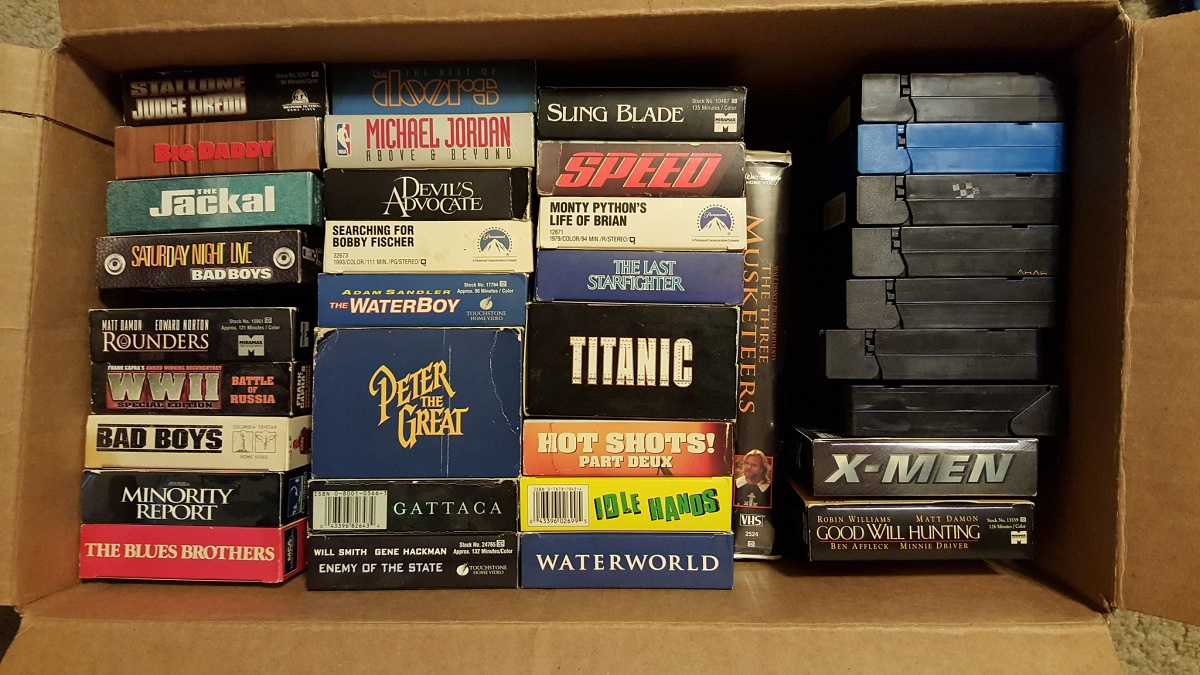
Wil C. Fry • Attribution-NonCommercial-NoDerivs (CC BY-NC-ND 2.0) Flickr


Convert Old Tapes
Jun 24, 2024 7:00 AM
Updated Jun 27, 2024 8:28 PM
While digital media is easier to use today, VHS tapes have a sentimental value that digital files can't replace.
According to times-standard.com in 2014, a poll found that 58% of Americans still had a VHS player, down from 88% in 2005. The drop is because more people are using digital and streaming media instead.
Even though fewer people use VHS tapes now, many Americans still keep them for their memories. These tapes hold special moments like birthdays and family gatherings. They're like time capsules, preserving important parts of people's lives.
While digital media is easier to use today, VHS tapes have a sentimental value that digital files can't replace. Watching a tape brings back strong feelings and memories in a way that digital media might not.
In summary, despite fewer VHS players around, VHS tapes are still important to many Americans. They hold memories and emotions that connect people to their past in a meaningful way.
Related stories
Keeping old VHS tapes safe is really important, even though more people use digital media now. Converting VHS tapes to digital makes sure they last longer and can be easily watched on
Converting your old VHS tapes to digital format is important to preserve your memories. Here are some easy ways to do it:
- VHS-to-DVD Recorder: You can buy a VHS-to-DVD recorder online or in stores. These devices let you copy your VHS tapes directly onto DVDs. Once on DVD, you can convert the video into digital files on your computer.
- VHS Player and Video Capture Device: Connect your VHS player to your computer using a video capture device. This device records the video from your VHS tapes and saves it as digital files on your computer. You can use software like Adobe Premiere or iMovie for this.
- Professional Services: If you don't want to do it yourself, there are local shops and online services that can convert your VHS tapes to digital. You can drop off your tapes locally or mail them to online services like Legacybox, iMemories, or YesVideo. They'll send you back digital files or DVDs.
- Analog-to-Digital Converter: For those comfortable with technology, you can use an analog-to-digital converter. This device connects your VHS player to your computer via USB and comes with software to capture and save the video as digital files.
Choose the method that fits your comfort level with technology and budget. Converting your VHS tapes to digital ensures your memories are safe and easy to share for years to come.
Best Way to Convert VHS Tapes at Home
Converting your old VHS tapes to digital format at home can be easy and effective with two great tools: the Elgato Video Capture and the ClearClick Video to Digital Converter.
- Elgato Video Capture: This device connects your VHS player to your computer using a USB cable. It's simple to set up and comes with easy software to help you record and save the video from your tapes onto your computer. Elgato Video Capture is known for being reliable and producing good-quality digital files.
- ClearClick Video to Digital Converter: Another good option is the ClearClick Video to Digital Converter. You connect your VHS player to it and can record the video directly onto an SD card or USB drive. It's easy to use with one-touch recording and playback features, making it perfect if you want a straightforward conversion process.
Both devices are designed to make converting your VHS tapes to digital format easy. Consider which one suits your needs based on how easy they are to use, how you want to save your digital files, and any special features you might need.
Converting your VHS tapes ensures your memories are saved and ready to enjoy for years to come.
Should You Use Costco or CVS for VHS Conversion? Exploring Your Options
When you want to turn your old VHS tapes into digital files, both Costco and CVS offer ways to do it through third-party companies. Here's what each one offers:
Costco Photo Center: Costco works with a company called Capture.com for VHS to digital conversions. You can bring your tapes to Costco, and they'll send them to Capture.com for you. Costco is known for good prices and the convenience of dropping off your tapes while you shop.
CVS Photo Center: CVS partners with iMemories for VHS tape conversion. Just take your tapes to CVS, and they'll send them to iMemories to make them digital. CVS is convenient because you can handle everything in one trip, and you have options to get your digital files mailed to you or pick them up at the store.
Things to Think About:
- Cost and Convenience: Costco might have lower prices because they buy things in bulk, but CVS is easier if you want to do everything in one visit.
- Quality and Service: Capture.com and iMemories are trusted for making old tapes into digital files. They do good work and sometimes offer extras like fixing up your videos.
- How Long It Takes: Both Costco and CVS try to be fast, but it can change based on how many tapes they have and how busy they are. Check with your store for how long it might take.
Choosing Between Costco and CVS: Deciding between Costco and CVS for VHS conversion depends on what's easier for you and what matters most. Both stores use good companies to change your tapes into digital files, keeping your memories safe for the future.

In summary, whether you go with Costco or CVS to turn your old VHS tapes into digital files, both offer easy and dependable services. The choice depends on what's convenient for you and how much you want to spend.
Comments

Powered by RoundtableAn AI/DeFi-powered Enterprise Media Operating System. Learn more at Roundtable.io.© Roundtable 2026. By using this site you agree to the Terms of Use and Privacy Policy